

Live FundingInvitation-only real-money accounts: how you are called, what moves with you, how your Live account works and how you withdraw.
On your Live Desk. While you apply, open it from your invitation email or at labs.phoenixtraderfunding.com/live. Once your Live account is open, it is also the Live Desk tab of your dashboard.
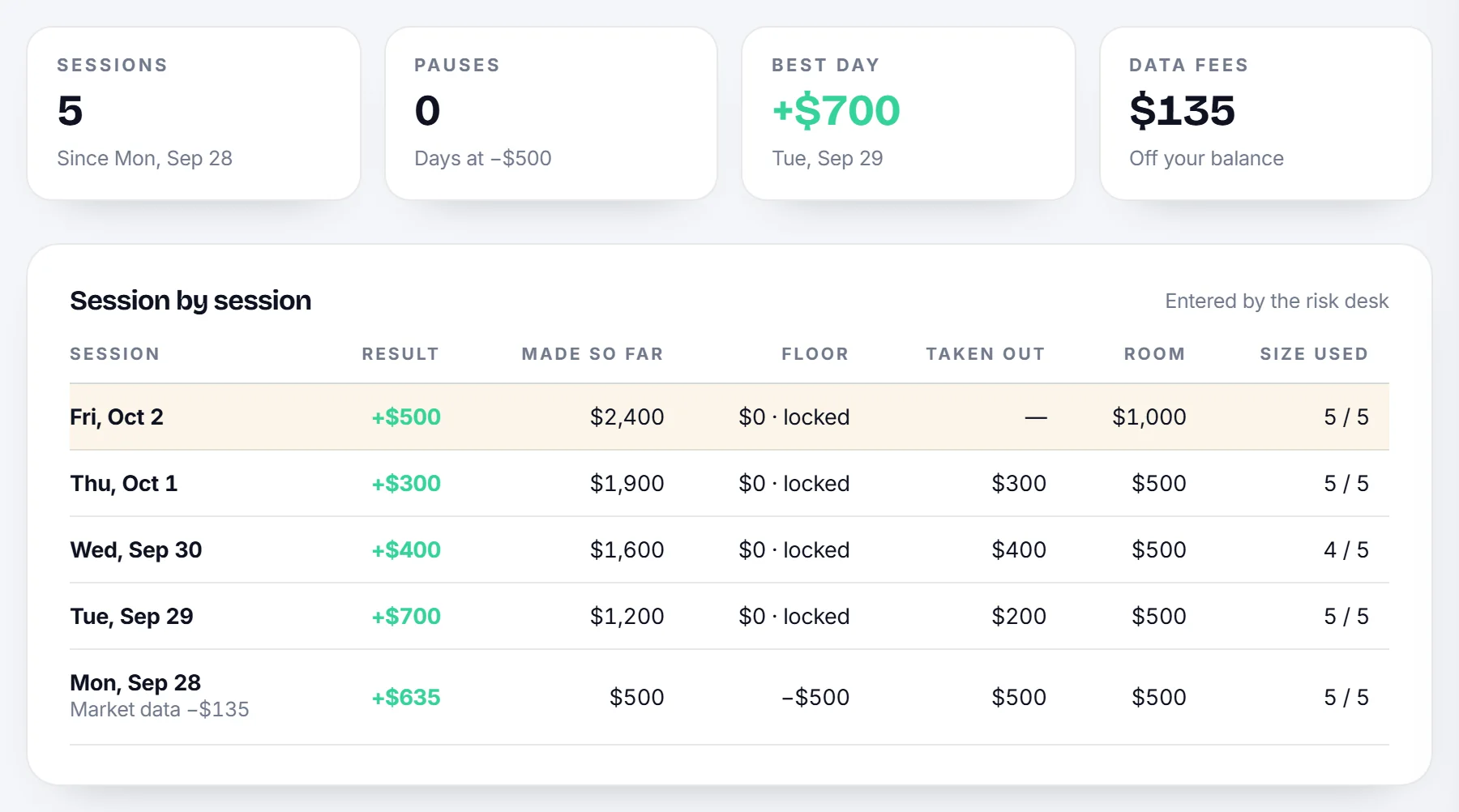
- After every close, the risk team enters your session: balance, floor, room and size level, with each session in the table below them.
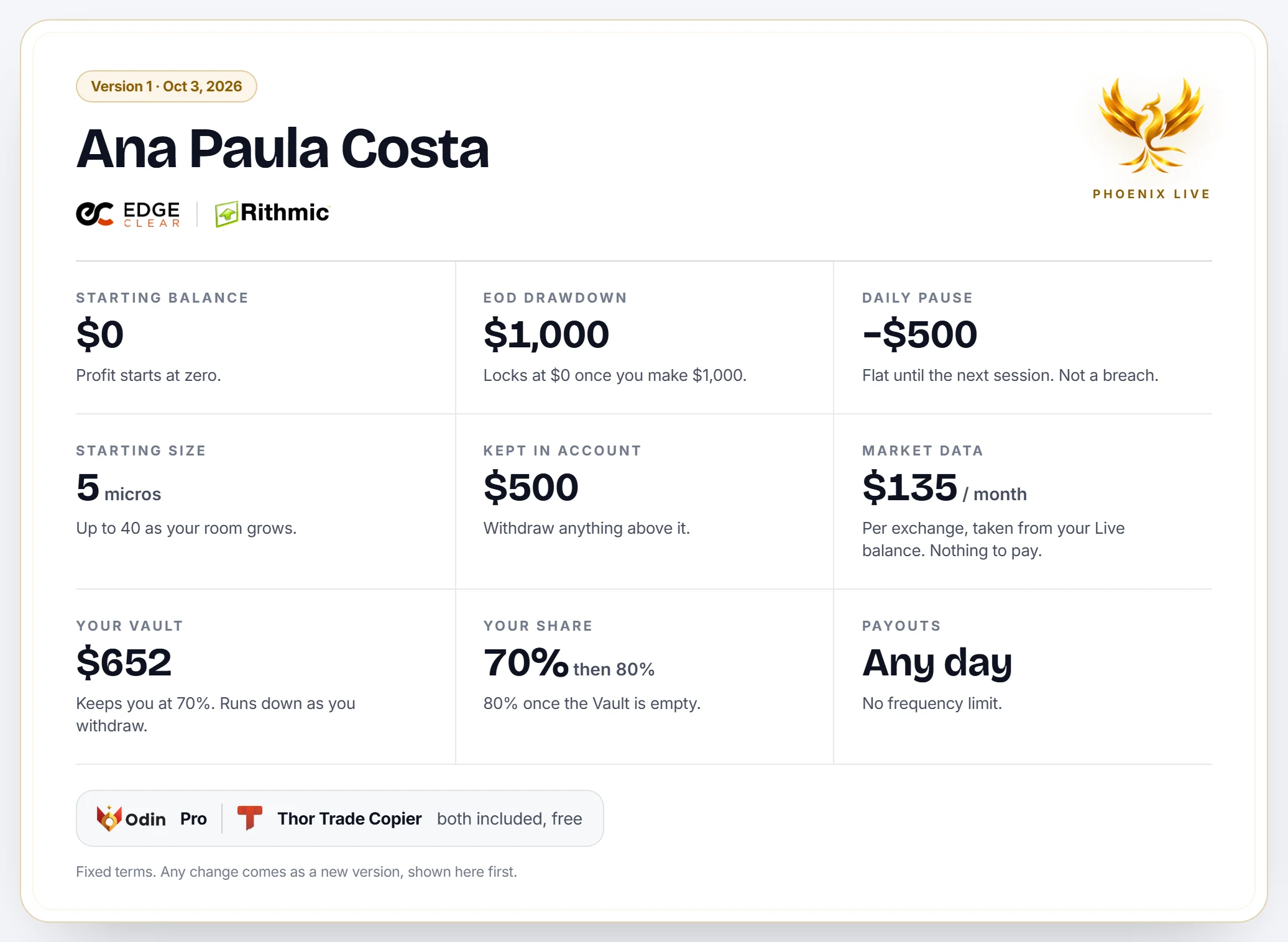
- Your terms, exactly as you signed them. Any change comes as a new version, shown on your Live Desk first.
- Your withdrawals, from request to payment.
Was this article useful?
Can't find what you're looking for? Contact us